Clear W3 Total Cache by URL From the Admin Bar or Dashboard
When recently working on a WordPress website that generated pages from an API that aren’t stored in the main site database, I discovered that the W3 Total Cache admin bar link to clear the current page’s cache didn’t work.
The ‘Purge Current Page’ link in the Performance menu item works by passing the current post ID to a function that clears the cache by an ID. Since this only works for single posts, it also doesn’t work on post archives and term listing pages.
So I wrote a small plugin to clear the current page’s cache by its URL.
The plugin is available on GitHub here: W3 Total Cache Page Clearer.
An installable zip file is available in releases.
It adds a new link to the admin bar to clear the cache of the current page:

Clicking the like will invalidate the cache of any page by passing the current page’s URL to the plugin’s native w3tc_flush_url function.
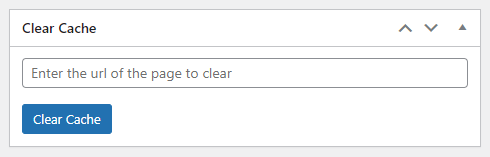
It also adds a dashboard widget to clear any URL without needing to navigate to the page directly:
This can be disabled in the normal way by opening the screen options at the top of the dashboard page and unchecking the option for it to appear.